
This language version is being prepared. The Japanese version is shown for now.
テキスト
今あるテキストの内容・書体・サイズ・色を、このページで順に変更します。装飾と文字ごと装飾は専用ページ、位置は共通の配置ページで確認できます。
PC画面での操作
このページの操作画像はPC版です。中央で対象を選ぶと上部ツールが切り替わり、詳しい設定は左に開きます。右のレイヤー一覧は対象の選択と重なり順、下部は保存状態・作品サイズ・表示倍率を確認する場所です。項目が見えない場合は上部の「…」を確認します。
このページでできること
内容の直接編集から文字間隔まで、このページの見出しから調べられます。別の文字を増やす追加操作も、後半で説明します。
テキストを選んだ上部ツールバー
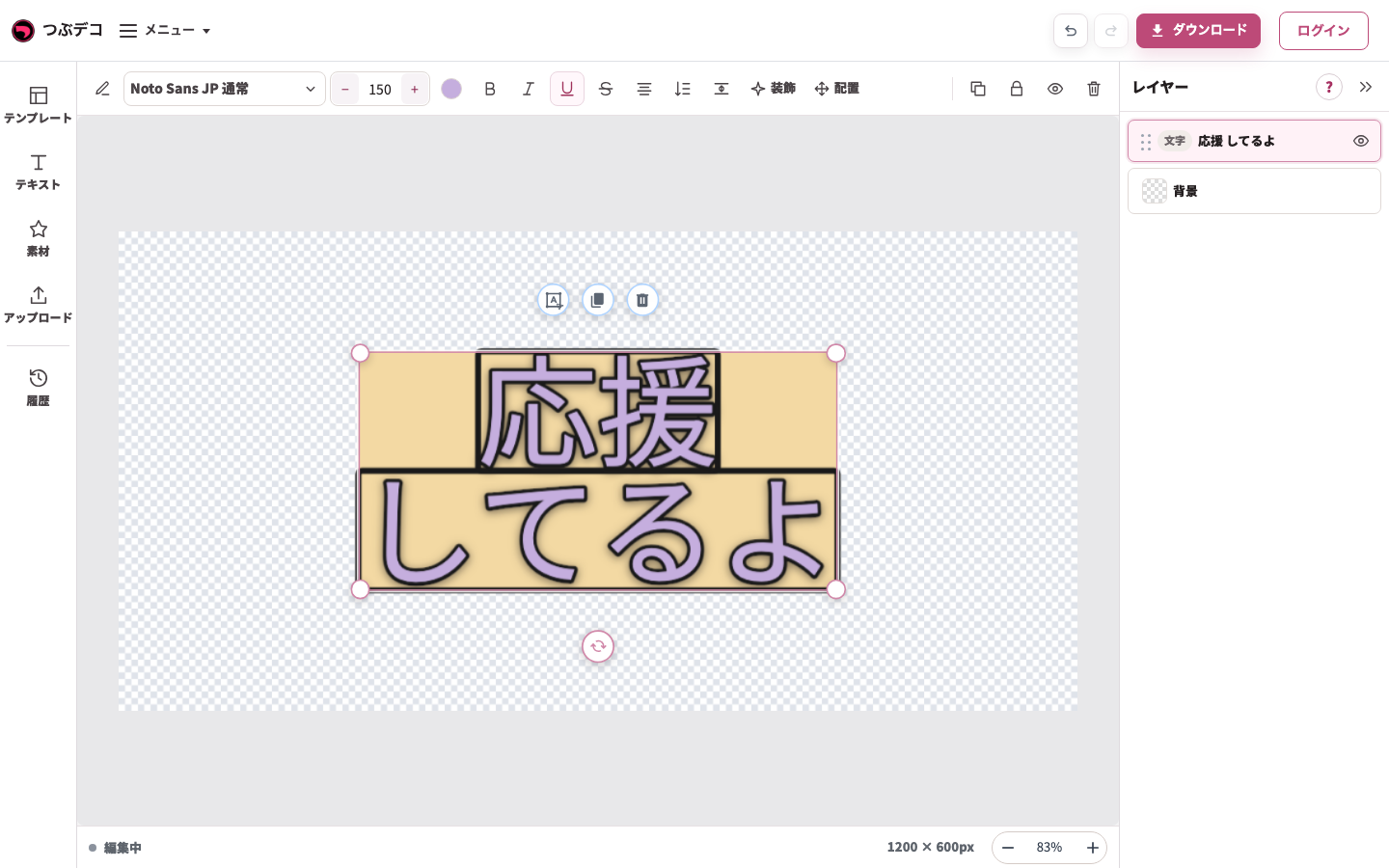

左の「テキスト」は追加の入口です。今あるテキストを変えるときは、中央または右のレイヤーで選び、上部の項目を使います。以下の見出しは画面の左から右へ辿る順番です。
内容を直接編集する
-
今あるテキストを直接入力する
テキストを1回クリックして選び、同じテキストをもう1回クリックします。Ctrl+A(MacはCommand+A)でこの文字の全文を選び、内容を書き換えます。Enterで改行し、灰色の余白クリックで終了します。
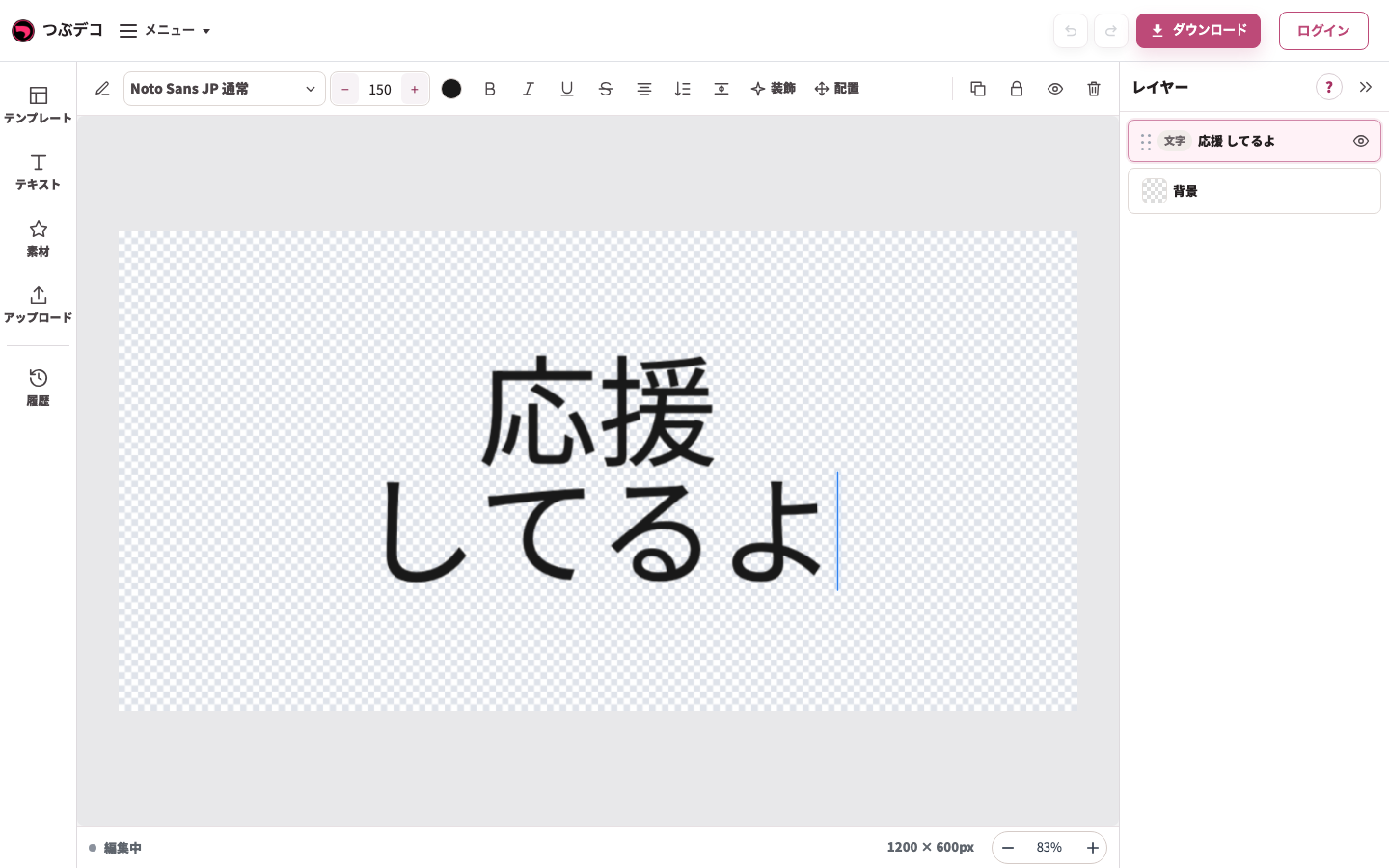
入力中:「応援」のあとにEnterで改行し、「してるよ」を入力。同じテキストの内容を変更しています。 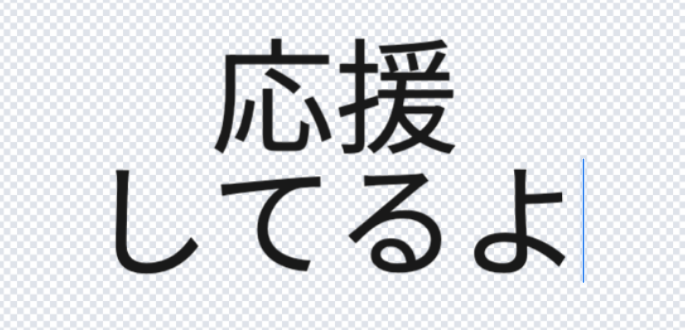
拡大:入力中:「応援」のあとにEnterで改行し、「してるよ」を入力。同じテキストの内容を変更しています。
フォント
-
フォントを選ぶ
テキストを選択し、上部のフォント名をクリックします。左の一覧で書体名と見本を見て選びます。中央のテキストの形が変わったことを確認します。
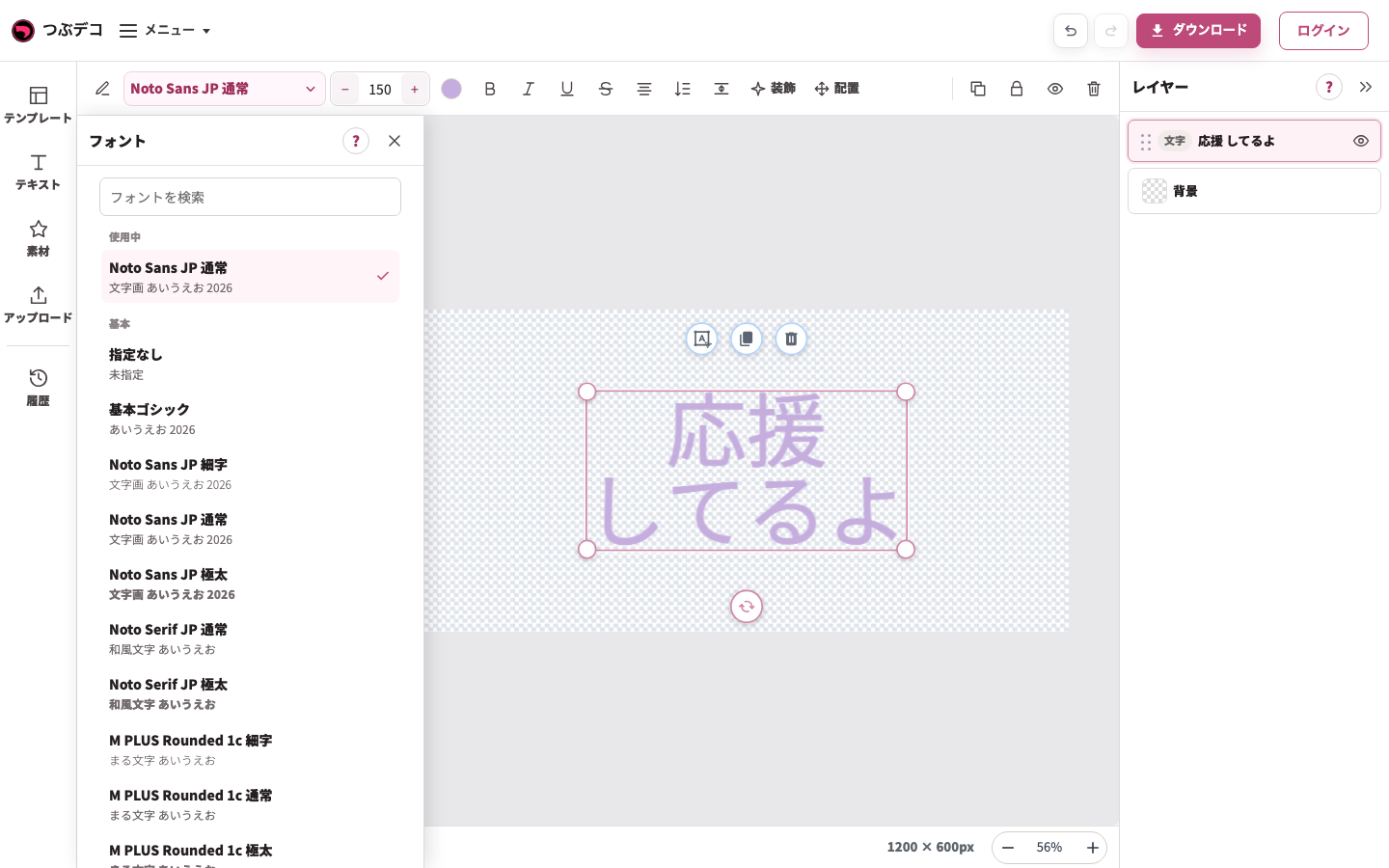
上部のフォント名から開いた一覧。書体名と見本を見て中央のテキストに適用します。 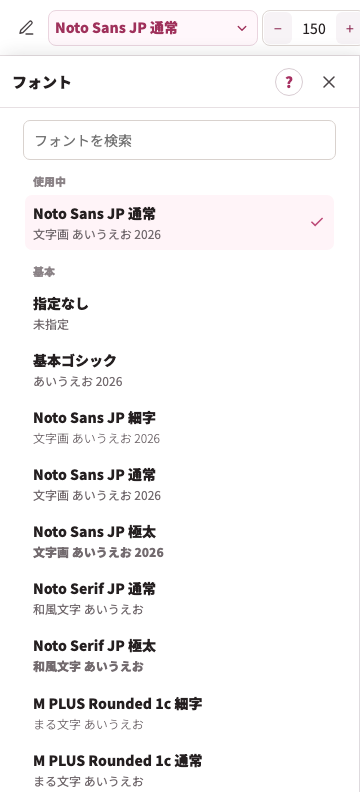
拡大:上部のフォント名から開いた一覧。書体名と見本を見て中央のテキストに適用します。
フォントの設定
| Item | Description |
|---|---|
| フォント | 文字の書体を選びます。 |
文字サイズ
-
文字サイズを整える
上部の文字サイズ欄に数値を入力するか、−/+を使います。テキストの大きさが変わり、作品の端で切れていないかを確認します。
テキストを選んだPC画面。上部の直接編集・フォント・文字サイズ・色・書式・揃え・縦書き・文字間隔・装飾・配置を左から確認します。
拡大:文字サイズ、色、太字・斜体・下線・取り消し線、文字揃え・縦書き、文字間隔。下線の見た目は装飾の「線」で調整できます。
文字サイズの設定
| Item | Description |
|---|---|
| 文字サイズ | 文字の大きさを調整します。 |
色
-
色を選ぶ
上部の色の丸ボタンをクリックします。左パネルで「単色」「グラデ」「パターン」を選び、作品を見ながら変更します。グラデや柄は全体・行ごと・文字ごとの範囲を指定できます。
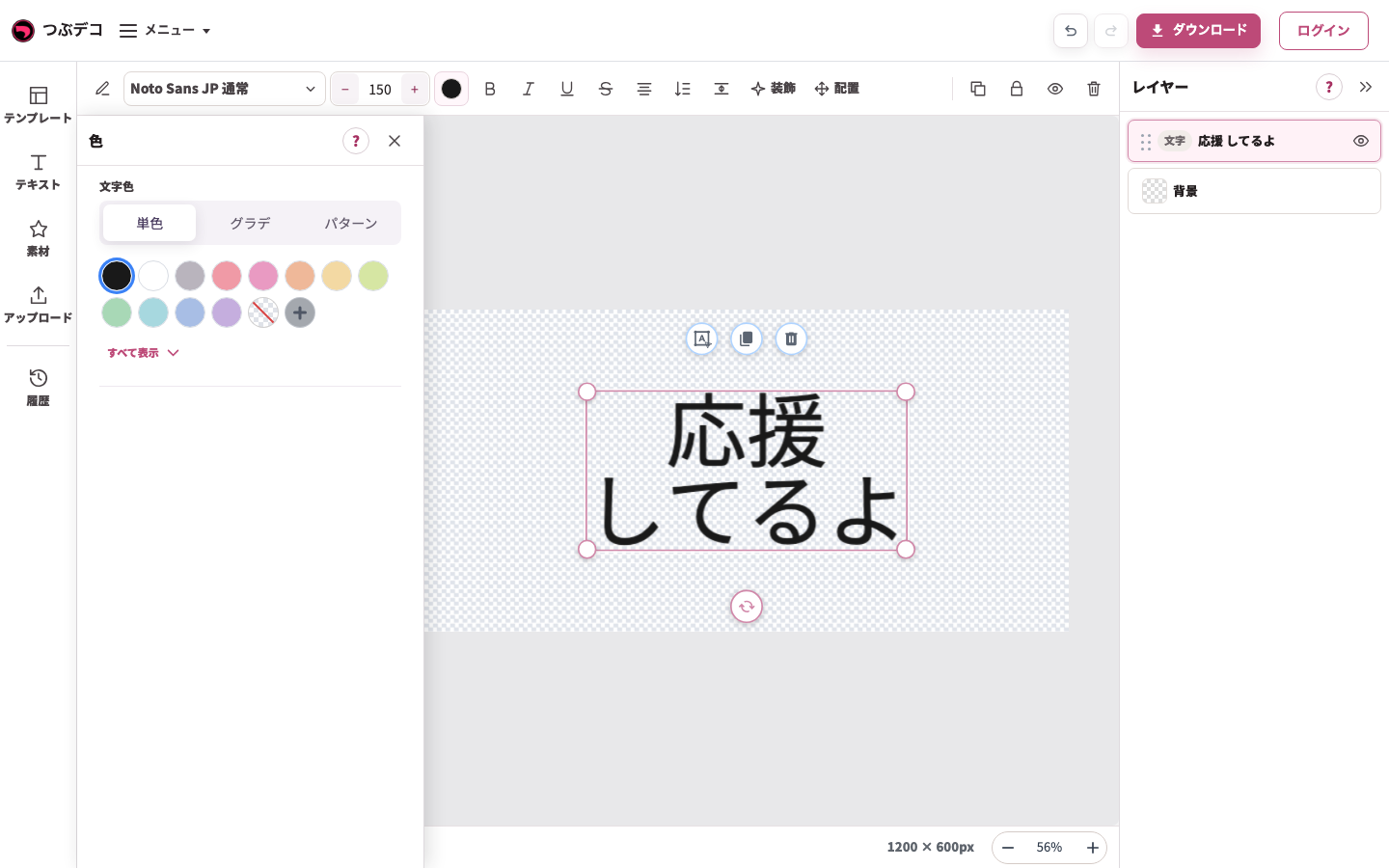
テキストを選び上部の色を開いたPC画面。左で単色・グラデ・パターンを選べます。 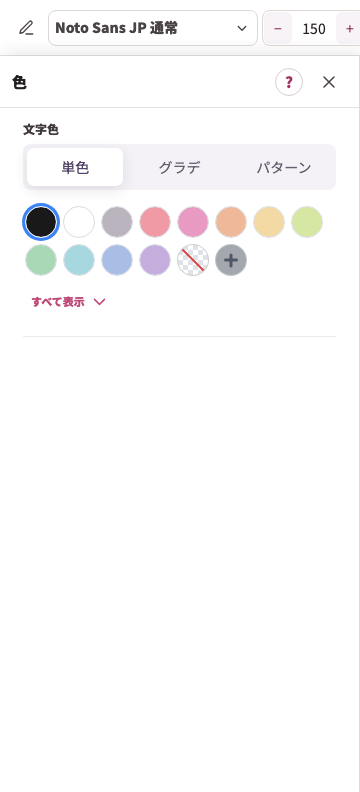
拡大:テキストを選び上部の色を開いたPC画面。左で単色・グラデ・パターンを選べます。 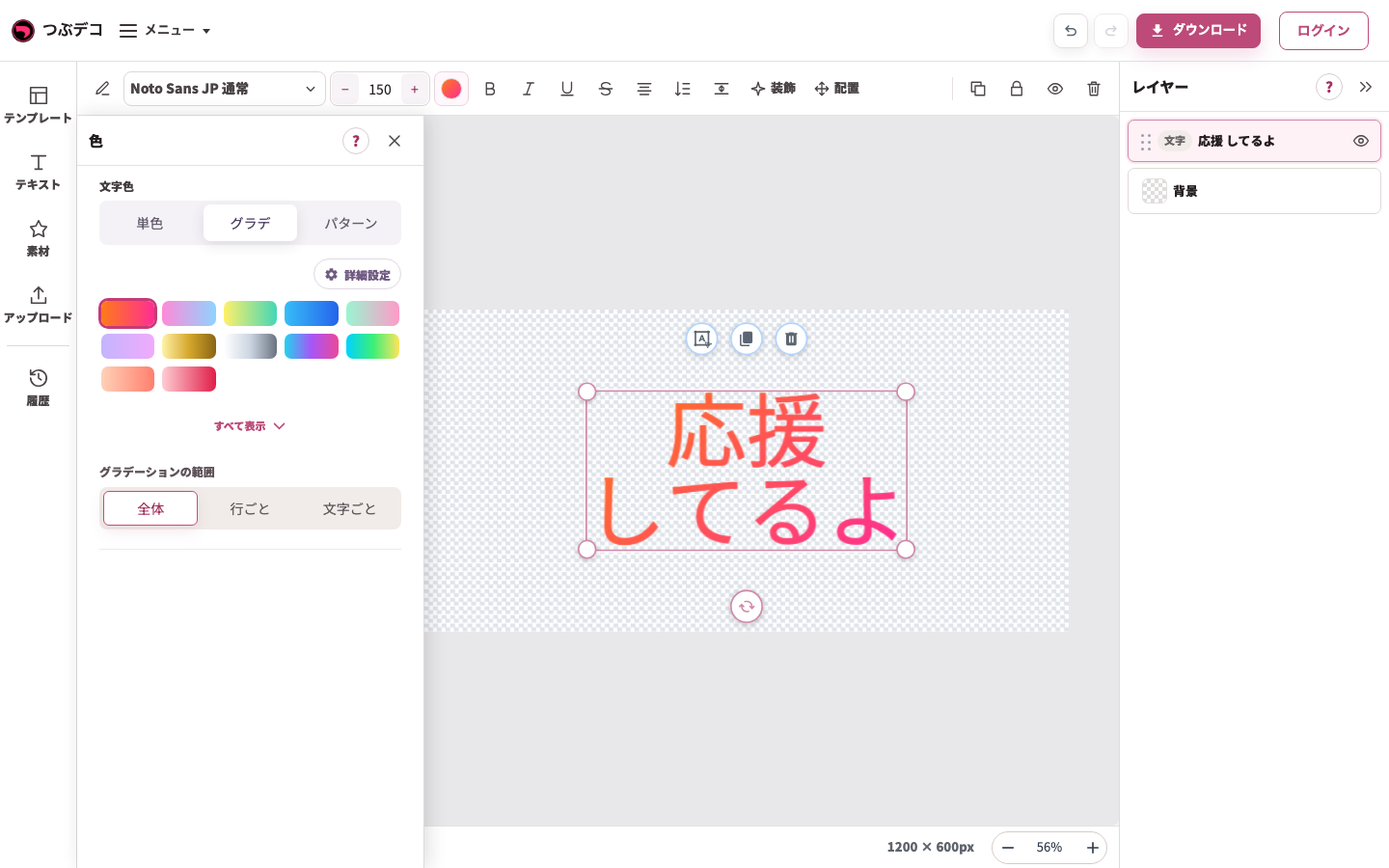
左の色パネルでグラデを選んだ状態。色の見本と全体・行ごと・文字ごとの範囲を確認します。 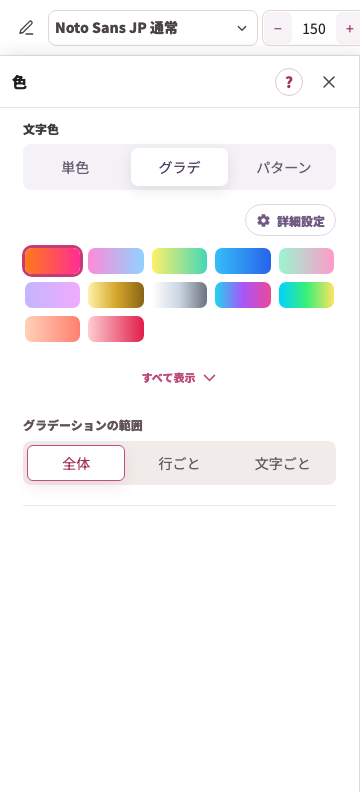
拡大:左の色パネルでグラデを選んだ状態。色の見本と全体・行ごと・文字ごとの範囲を確認します。 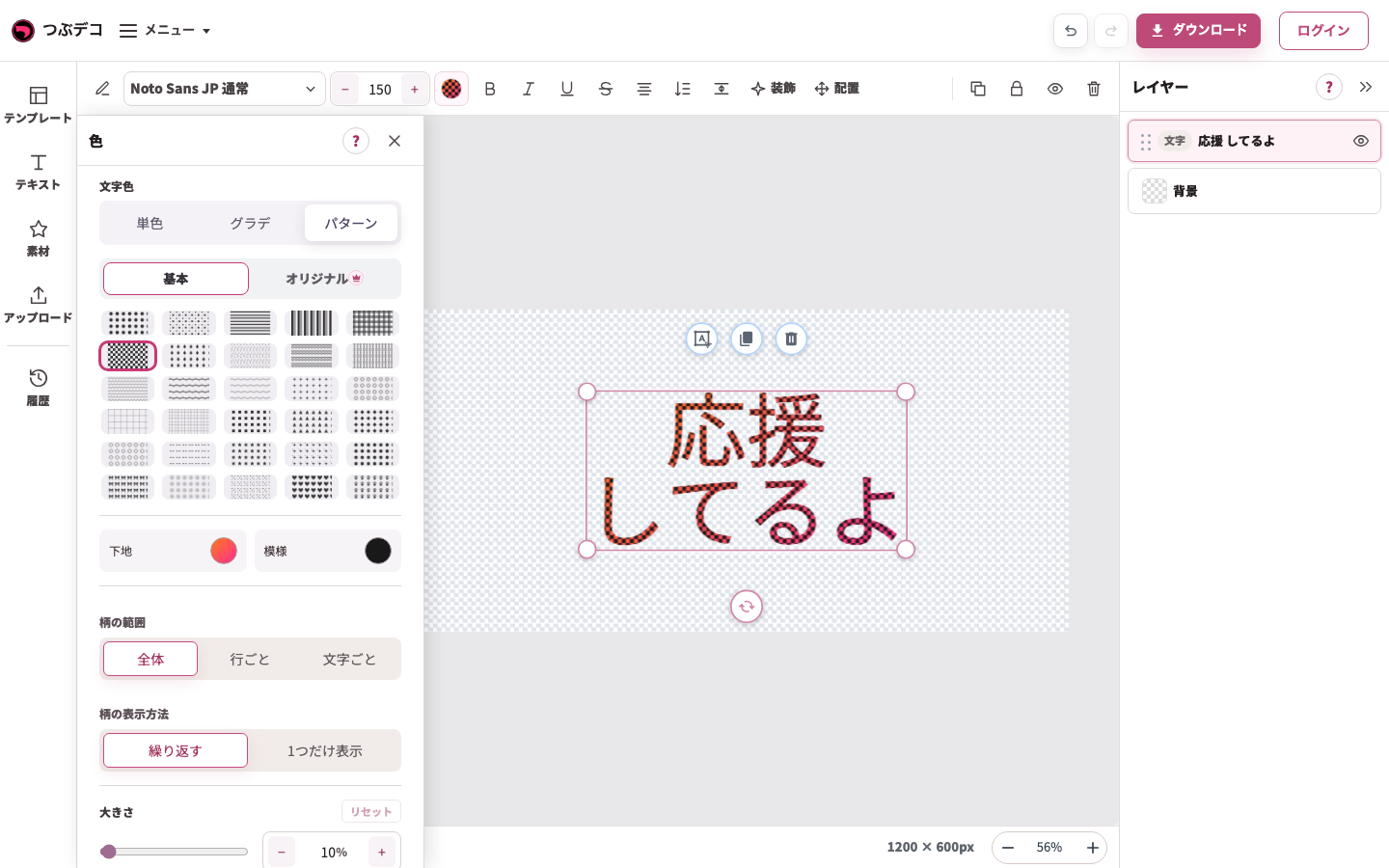
左の色パネルでパターンを選んだ状態。柄の種類・色・範囲・大きさを調整できます。 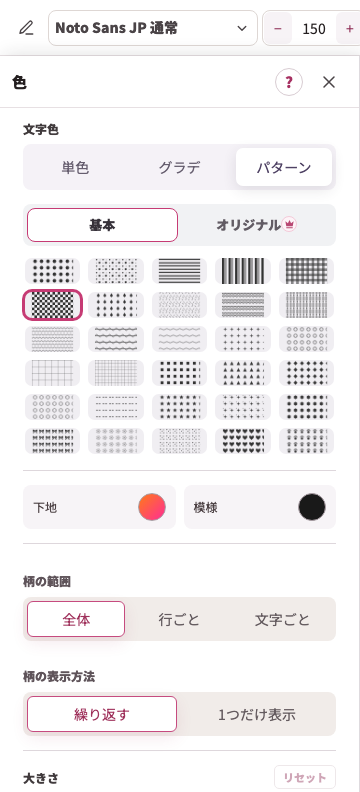
拡大:左の色パネルでパターンを選んだ状態。柄の種類・色・範囲・大きさを調整できます。
色の設定
| Item | Description |
|---|---|
| 色 | 単色・グラデ・パターンから選びます。グラデや柄は全体・行ごと・文字ごとの範囲を選べます。 |
太字・斜体・下線・取り消し線
-
太字・斜体・下線・取り消し線を切り替える
上部の太字・斜体・下線・取り消し線を必要なものだけクリックします。ボタンをもう一度押すと解除できます。下線の詳しい見た目は装飾の「線」で調整します。
テキストを選んだPC画面。上部の直接編集・フォント・文字サイズ・色・書式・揃え・縦書き・文字間隔・装飾・配置を左から確認します。
拡大:文字サイズ、色、太字・斜体・下線・取り消し線、文字揃え・縦書き、文字間隔。下線の見た目は装飾の「線」で調整できます。
太字・斜体・下線・取り消し線の設定
| Item | Description |
|---|---|
| 文字スタイル | 太字、斜体、取り消し線を切り替えます。複数を同時に使えます。 |
文字揃え・縦書き
-
文字揃え・縦書きを切り替える
上部の揃えボタンで行の位置を切り替え、「縦書き」で横書きと縦書きを切り替えます。文字全体の場所を動かす「配置」と区別します。
テキストを選んだPC画面。上部の直接編集・フォント・文字サイズ・色・書式・揃え・縦書き・文字間隔・装飾・配置を左から確認します。
拡大:文字サイズ、色、太字・斜体・下線・取り消し線、文字揃え・縦書き、文字間隔。下線の見た目は装飾の「線」で調整できます。 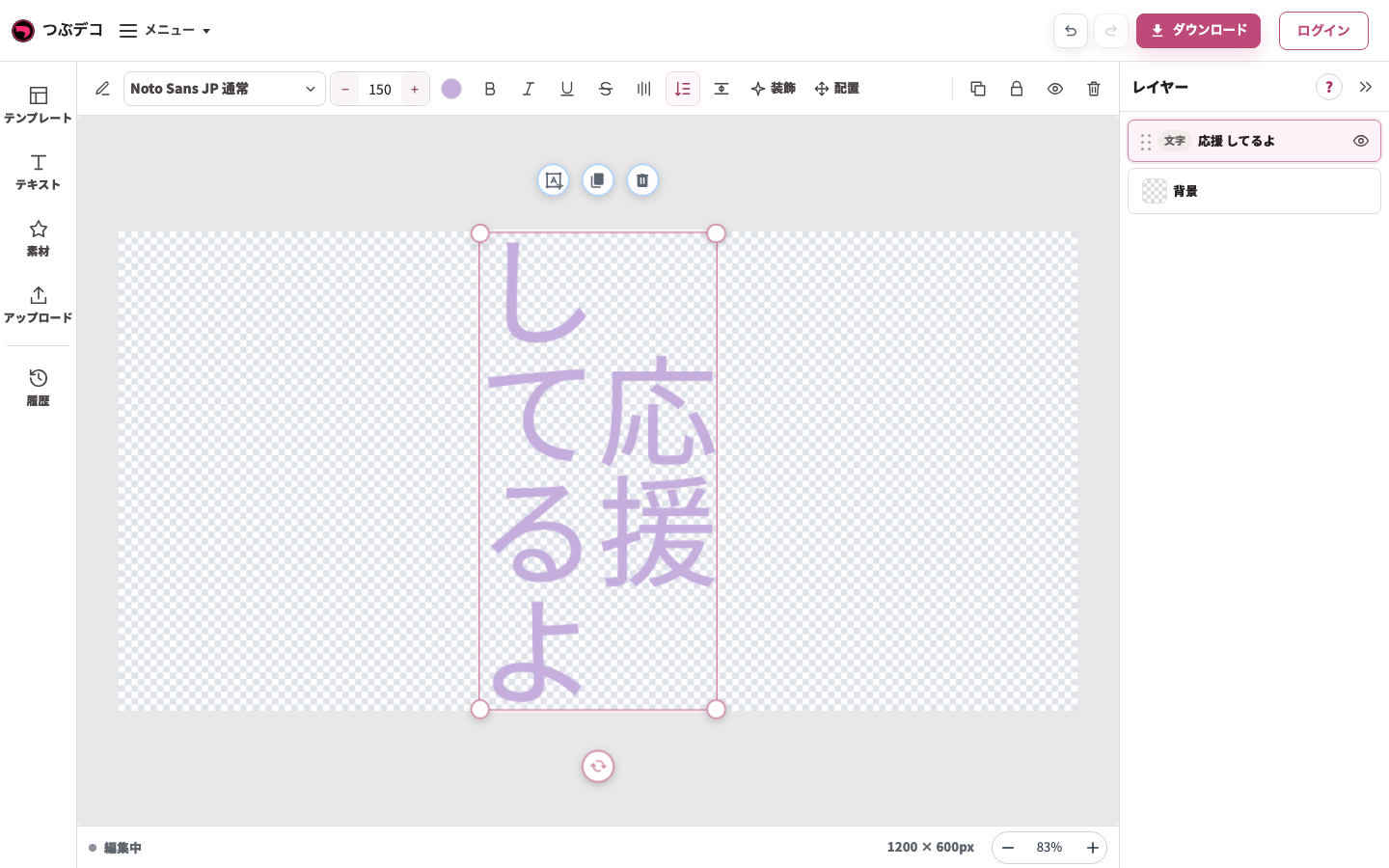
方向変更後:同じ2行の文字を縦書きにした状態。縦書きボタンで横書きに戻せます。
文字揃え・縦書きの設定
| Item | Description |
|---|---|
| 縦書き | 横書き・縦書きを切り替えます。 |
| 文字揃え(横書き) | 横書きのとき、左・中央・右から選びます。 |
| 文字揃え(縦書き) | 縦書きのとき、上・中央・下から選びます。 |
文字間隔
-
文字間隔・行間隔を整える
上部の「文字間隔」を開き、左パネルで文字同士と行の間隔を調整します。横書きと縦書きでは対応する方向が変わります。中央のテキストが読みやすい間隔になったことを確認します。
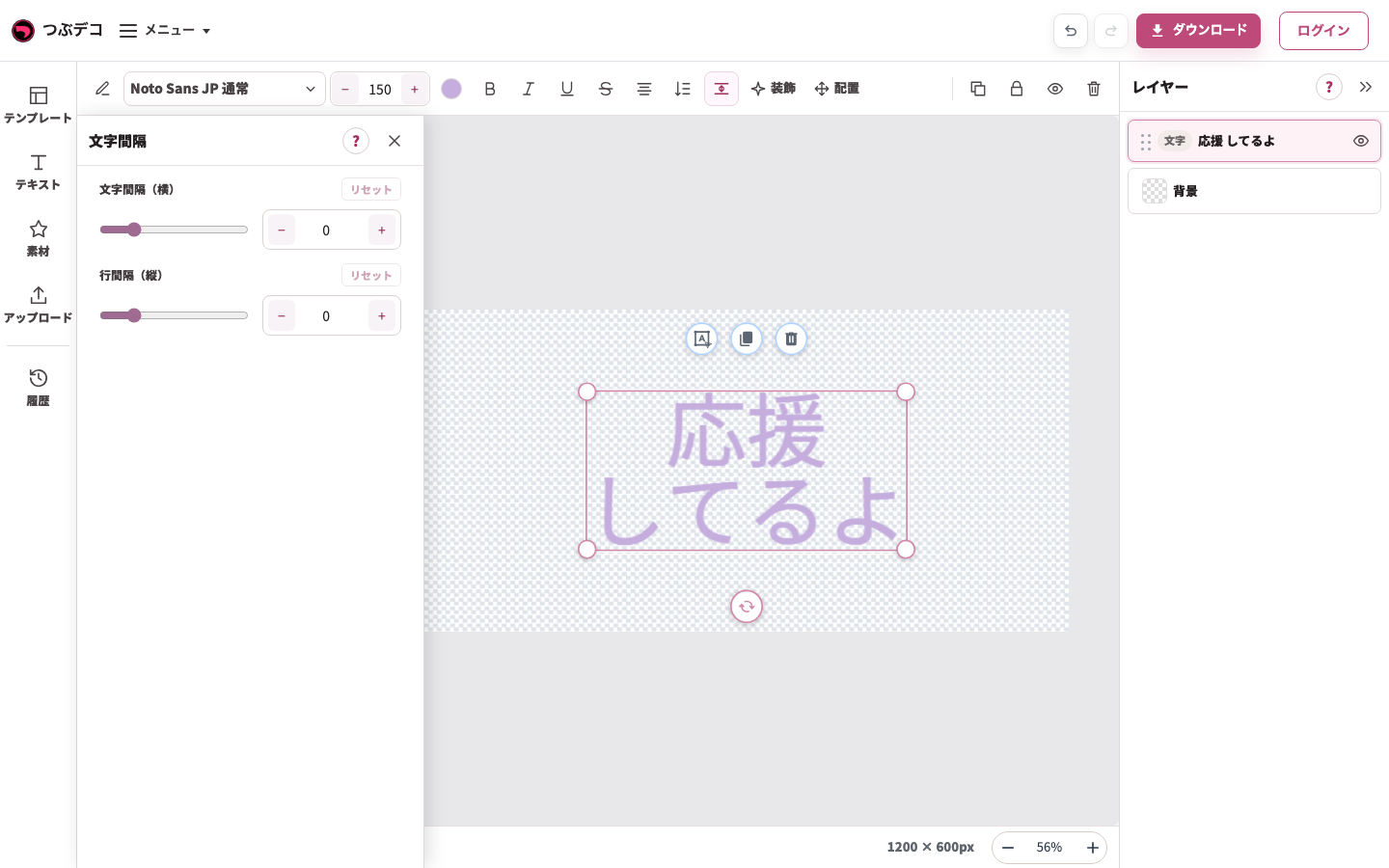
上部の文字間隔で開いた左パネル。横書きの文字間隔と行間隔を確認します。 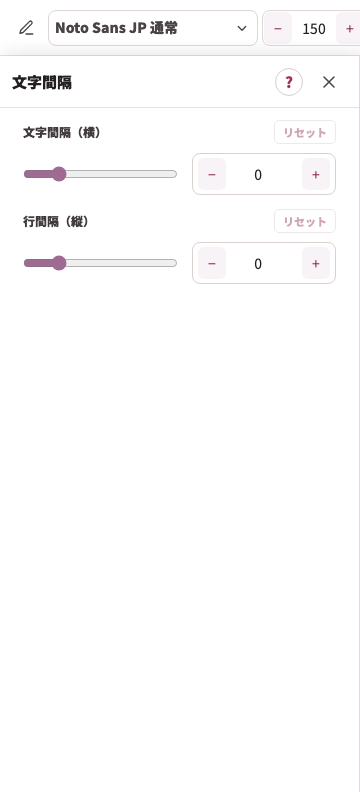
拡大:上部の文字間隔で開いた左パネル。横書きの文字間隔と行間隔を確認します。
文字間隔の設定
| Item | Description |
|---|---|
| 文字間隔(横) | 横書きの文字同士の左右の間隔を調整します。 |
| 文字間隔(縦) | 縦書きの文字同士の上下の間隔を調整します。 |
| 行間隔(縦) | 縦書きの複数行の間隔を調整します。 |
追加するテキスト(左メニュー)
-
別のテキストや絵テキストを追加する
別のテキストを増やす場合は左の「テキスト」を開き、「新しい文字」に入力して「追加」を押します。☺ボタンから絵文字を挿入できます。今あるテキストの内容だけを変える場合は直接編集へ戻ります。
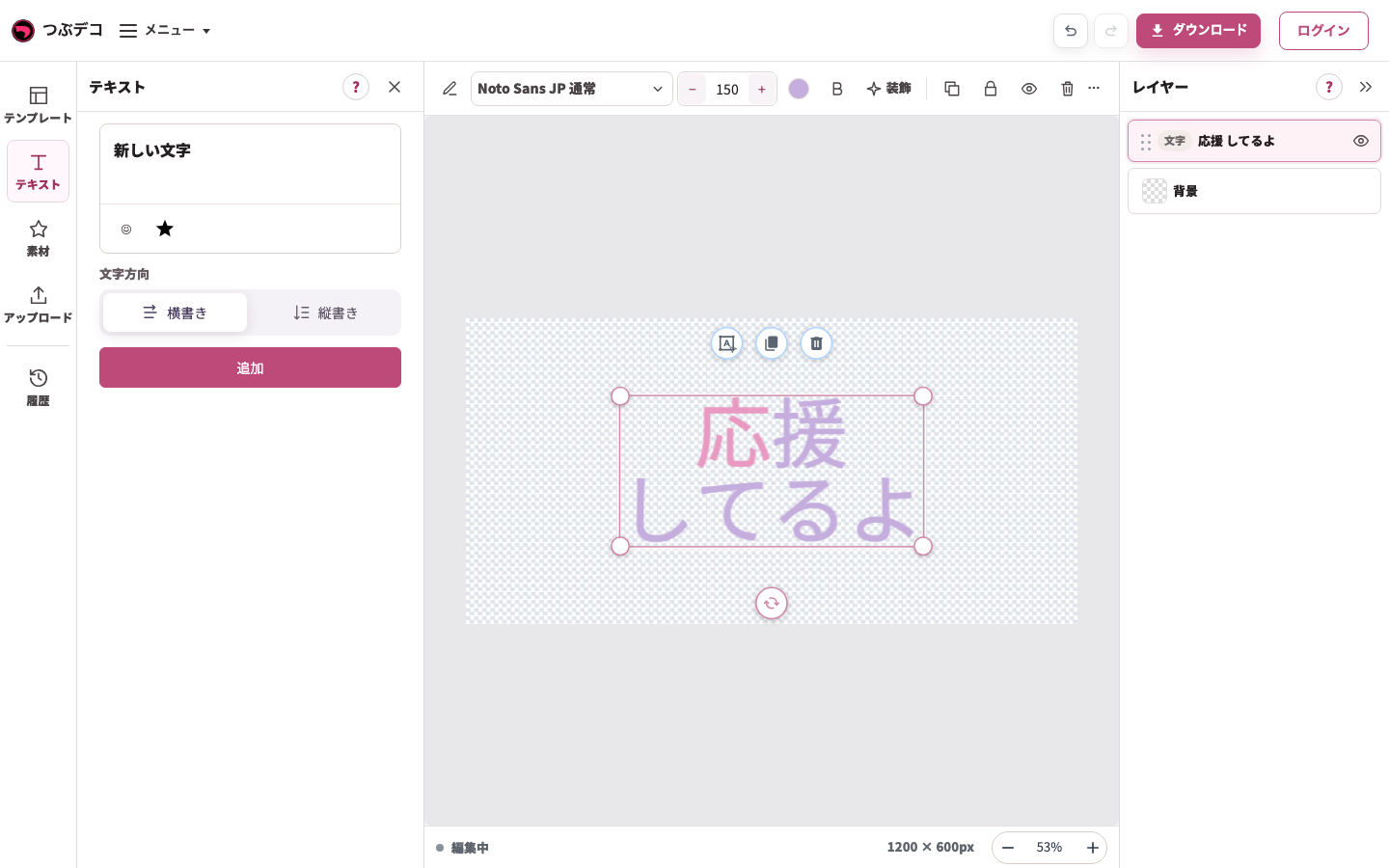
左のテキストは新しいテキストを追加するパネル。中央の既存テキストの直接編集と区別します。 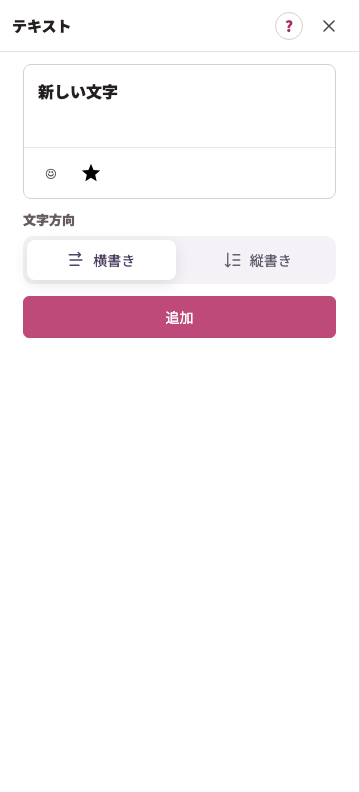
拡大:左のテキストは新しいテキストを追加するパネル。中央の既存テキストの直接編集と区別します。
追加するテキスト(左メニュー)の設定
| Item | Description |
|---|---|
| 絵文字・アイコン挿入 | 入力中の文字へ絵文字やアイコンを追加します。 |
| 追加 | 別のテキストを追加します。位置や装飾を個別に設定できます。 |
編集の流れと装飾への入口
-
テキストを選ぶ
中央のテキストを1回クリックします。重なって選びにくいときは、右のレイヤー一覧から文字の名前を選びます。対象に選択枠とテキスト用の上部ツールバーが出ます。
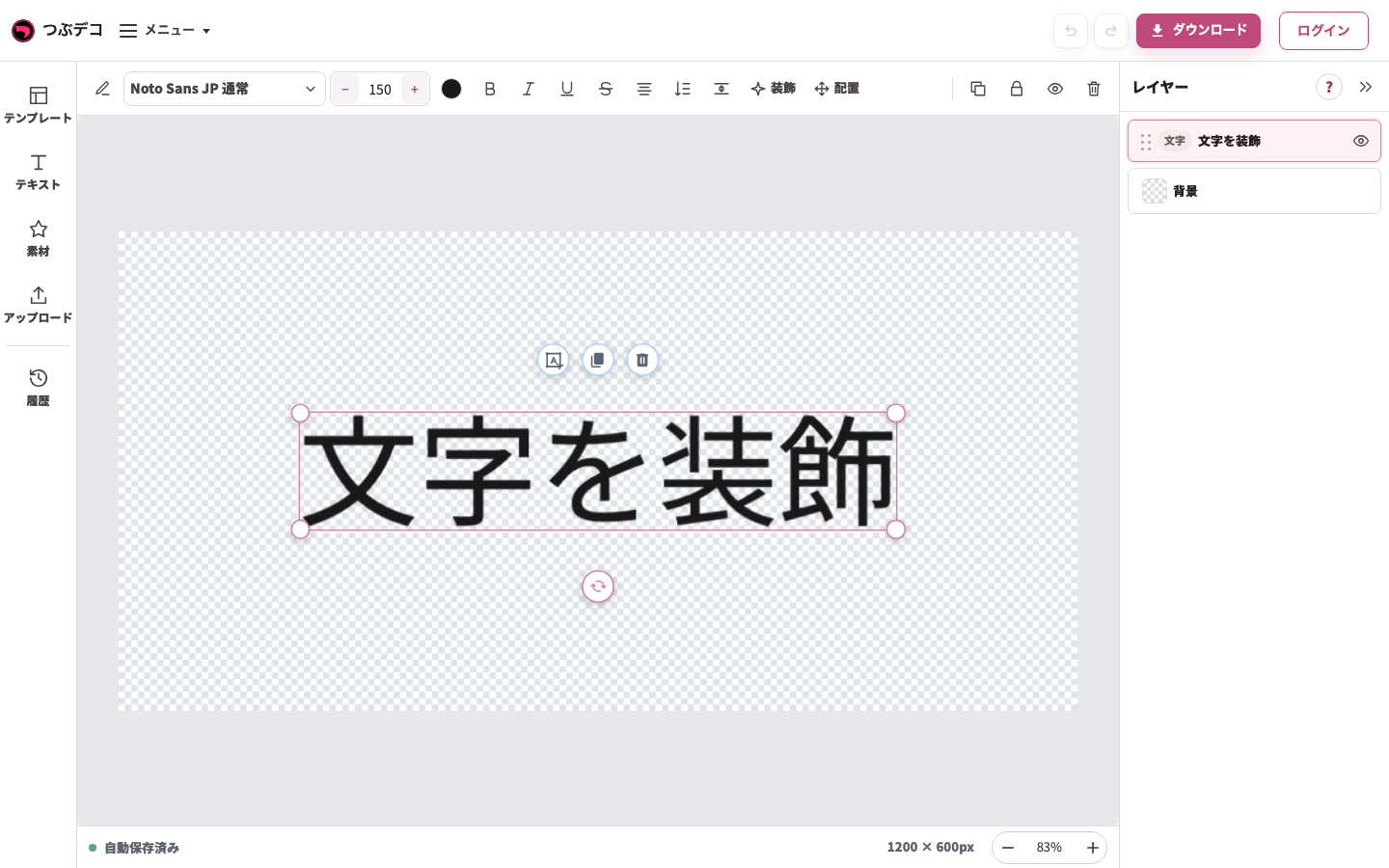
操作後:初期テキストを1回クリックして選択。中央の枠と上部の文字用ツールが現れています。 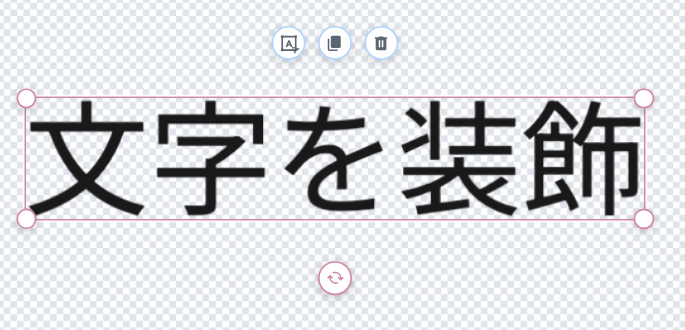
拡大:操作後:初期テキストを1回クリックして選択。中央の枠と上部の文字用ツールが現れています。 -
同じテキストを直接書き換える
選んだ同じテキストをクリックし、入力カーソルが出たら内容を変更します。Enterで改行できます。外側の灰色をクリックして入力を終えます。
入力中:「応援」のあとにEnterで改行し、「してるよ」を入力。同じテキストの内容を変更しています。
拡大:入力中:「応援」のあとにEnterで改行し、「してるよ」を入力。同じテキストの内容を変更しています。 -
上部ツールで文字の見た目を整える
テキストを選び直し、上部のフォント名・文字サイズ・色などを使います。左パネルを開いて横幅が足りないときは「…」に残りの項目が入ります。
上部のフォント名から開いた一覧。書体名と見本を見て中央のテキストに適用します。
拡大:上部のフォント名から開いた一覧。書体名と見本を見て中央のテキストに適用します。
テキストを選び上部の色を開いたPC画面。左で単色・グラデ・パターンを選べます。
拡大:テキストを選び上部の色を開いたPC画面。左で単色・グラデ・パターンを選べます。 -
装飾を加え、位置を整える
上部の「装飾」でフチ・影・線・背景(テキストの背面)を追加します。位置は作品上の文字をドラッグして調整します。詳しい設定は下の関連ページで確認できます。
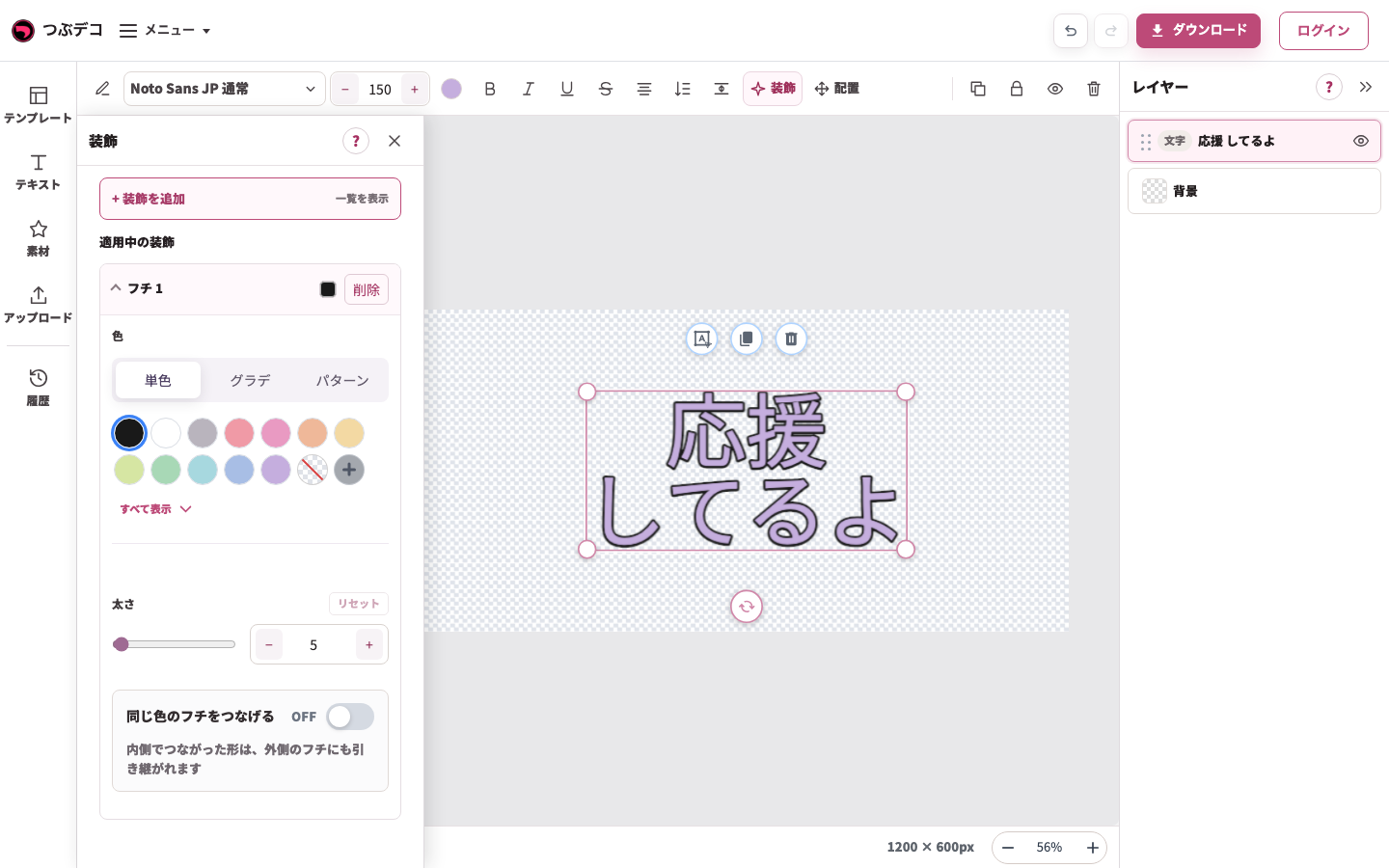
フチを追加して黒を選択。左の色・太さの設定と、中央のテキストに付いた黒いフチを確認します。 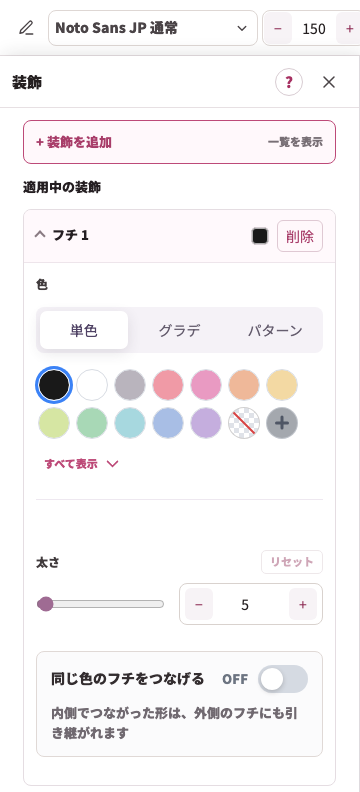
拡大:フチを追加して黒を選択。左の色・太さの設定と、中央のテキストに付いた黒いフチを確認します。 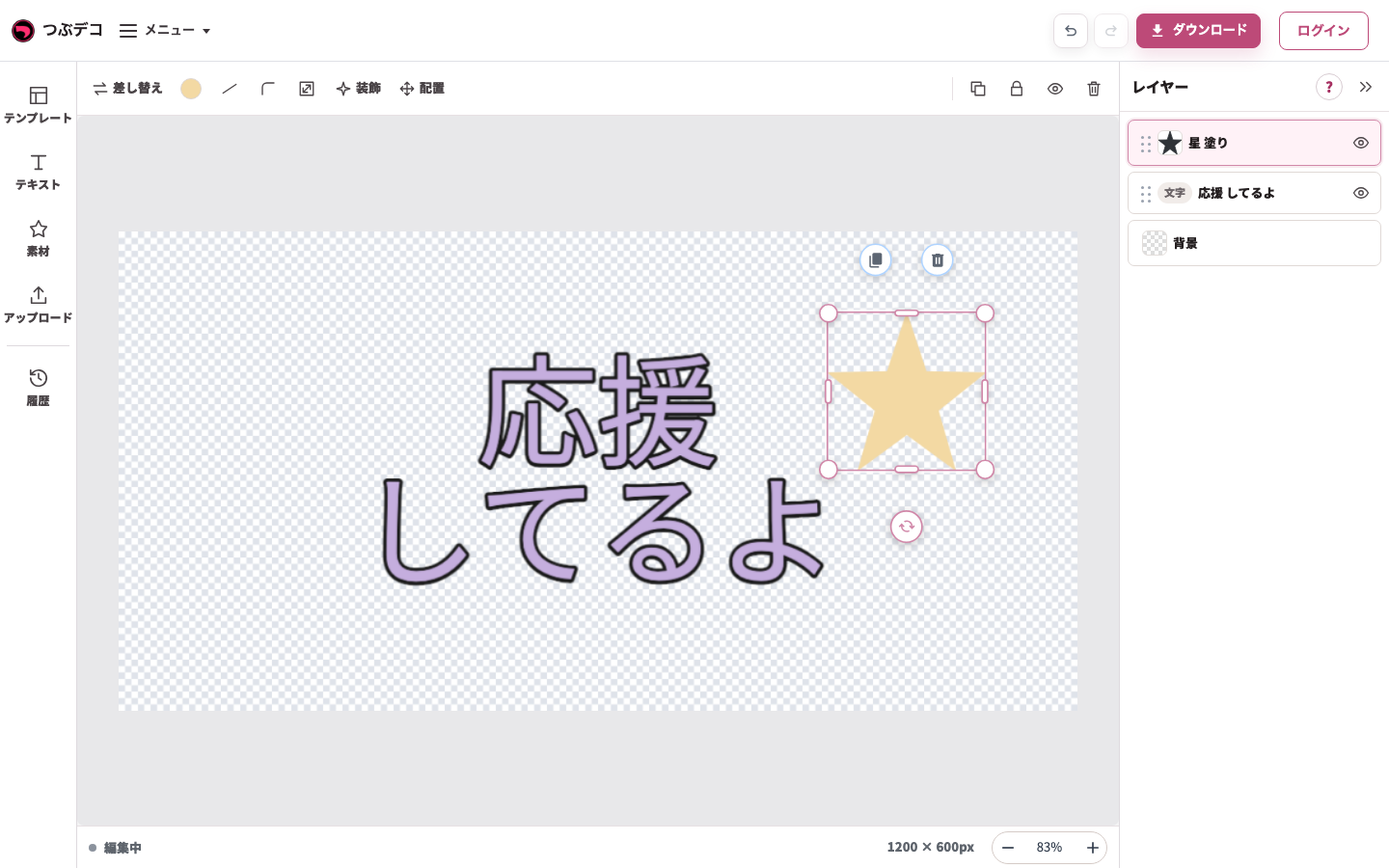
ドラッグ後:星を文字の右側へ移動。選択枠の内側の星だけが移動しています。 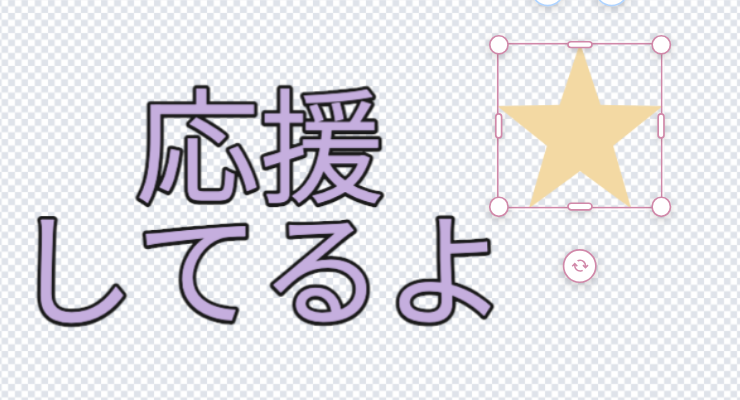
拡大:ドラッグ後:星を文字の右側へ移動。選択枠の内側の星だけが移動しています。
装飾の違い
| Item | Description |
|---|---|
| テキスト | フチ、影、線、背景(テキストの背面)を使えます。文字ごと装飾で選んだ文字だけに色やサイズを変えることもできます。 |
| 素材 | フチ、影を使えます。線と背景(テキストの背面)は素材には表示されません。 |
| 画像 | フチ、影を使えます。線と背景(テキストの背面)は画像には表示されません。 |
確認ポイント
- テキストレイヤーだけ、装飾の設定に線と背景(テキストの背面)が表示されます。
- 文字ごと装飾を使うと、選んだ文字だけに色やサイズなどを反映できます。
- 配置はテキスト・素材・アップロード画像で共通です。詳しい操作は配置ページにまとめています。
- 文字方向を変えると、整列の項目も横書き用・縦書き用に切り替わります。
- 文字間隔や行間隔を広げると、文字が表示枠からはみ出すことがあります。
困ったとき
テキストを選んでいるのに素材や画像向けの設定が表示される場合は、レイヤー一覧で選択中のレイヤーを確認してください。 テキストが窮屈に見える場合は「文字間隔」で少し広げます。作品からはみ出す場合は、文字サイズや間隔を下げ、必要なら共通の「配置」で作品内へ戻します。